3D warehouse in ERP Core: setup and product location
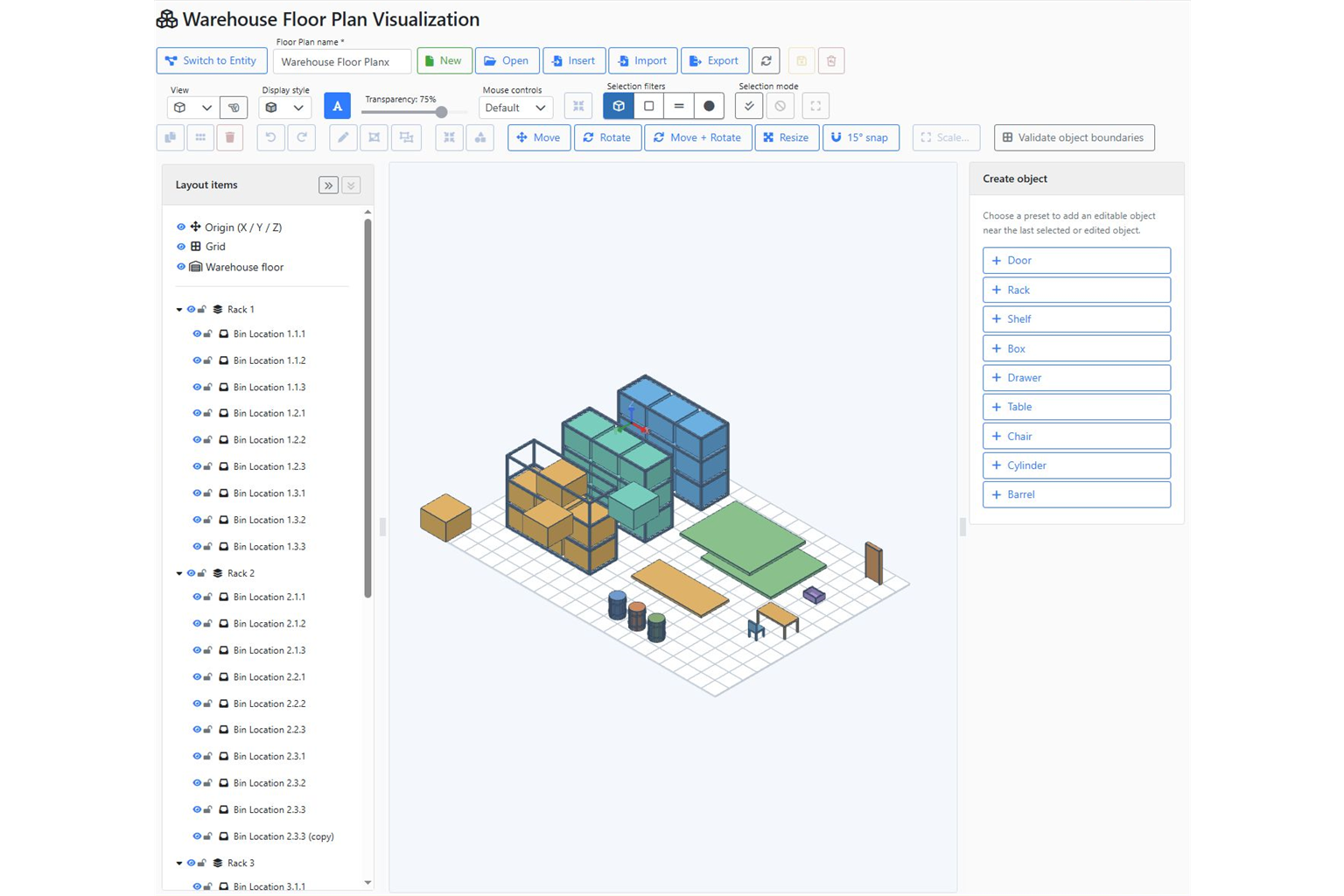
Screenshot of the ERP Core 3D warehouse editor. A shelf code is useful. Seeing where the shelf is can make it clearer. ERP Core links storage locations to a visual warehouse plan, helping the team move from stock information to the associated position in a 3D view. Example: a new colleague needs to find a … Read more
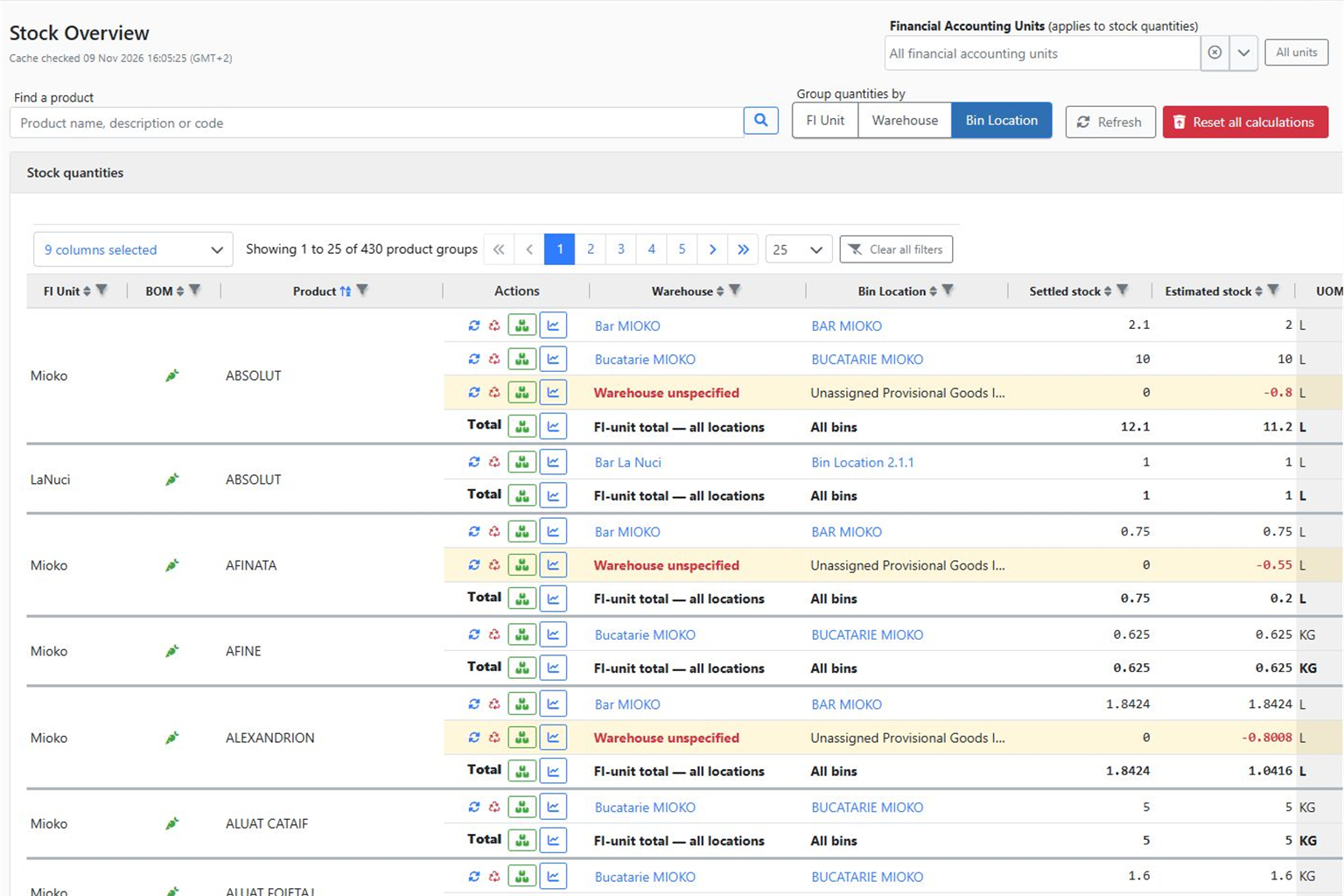
How to check inventory and stock charts in ERP Core

“Do we have it?” is only the first question. Next come “where?”, “how much?” and “which transactions explain the stock?”. ERP Core’s Stock Overview and product details help you check this information in context. Example: a customer needs 20 units You have 12 units in one warehouse and 15 in another. A total of 27 … Read more

How to create a goods receipt in ERP Core: a practical NIR guide

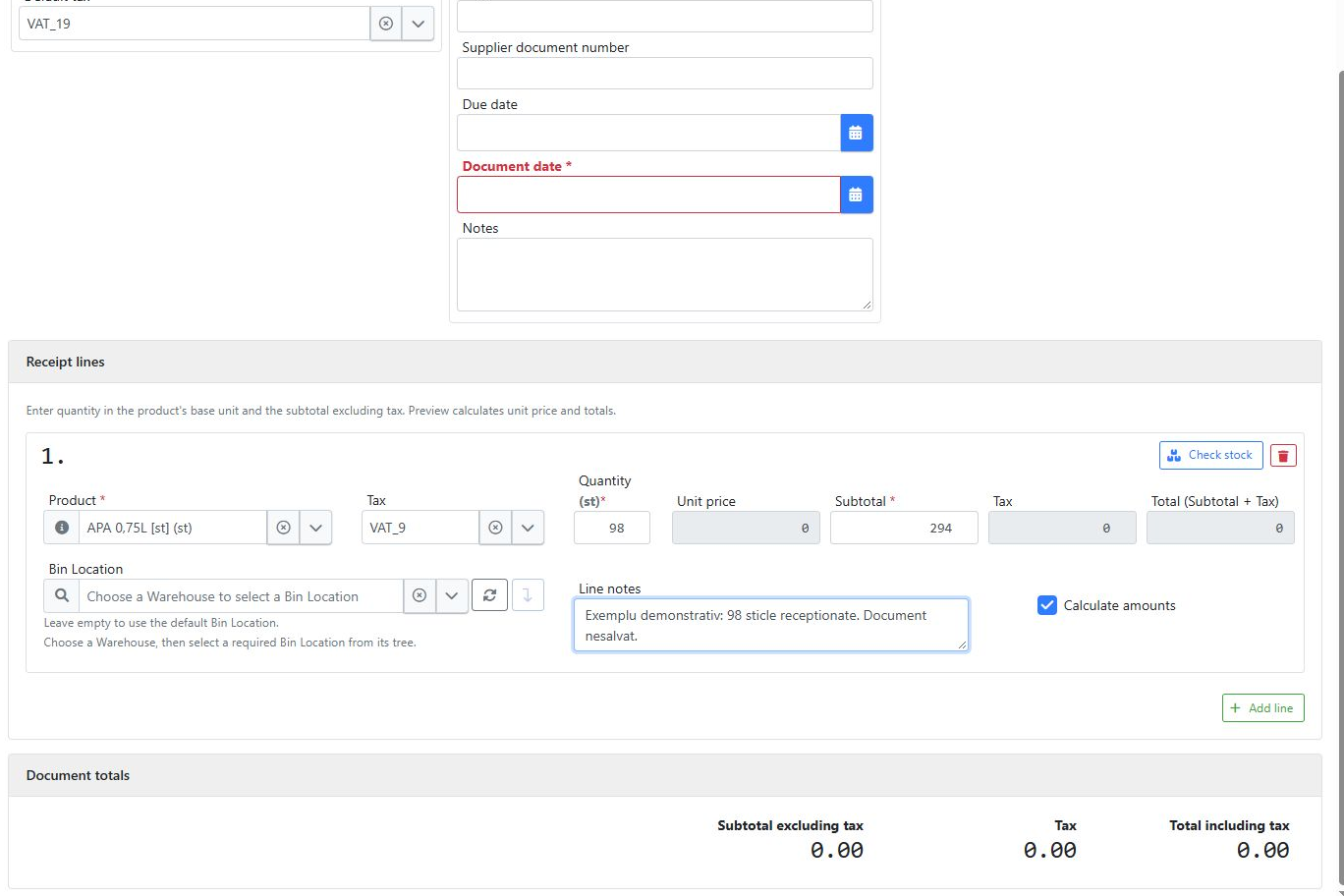
Linie de recepție ERP Core cu 98 de sticle, înainte de validare / ERP Core goods receipt line before validation

The delivery has arrived. How do you create a goods receipt that reflects what was actually received? In ERP Core, select the product and stock location, check existing inventory and enter the received quantities. Schematic illustration. The steps below use actual system screenshots. A practical example: 100 bottles on the delivery document, 98 received The … Read more

Inventory Count

If you need to execute an Inventory Count, you can use the last Goods Stock Balance to generate an Inventory Count. You need to generate one document for each Warehouse. After you generate the Inventory Count documents, you can edit them the same way you edit a Goods Receipt. The inventory document will be generated … Read more