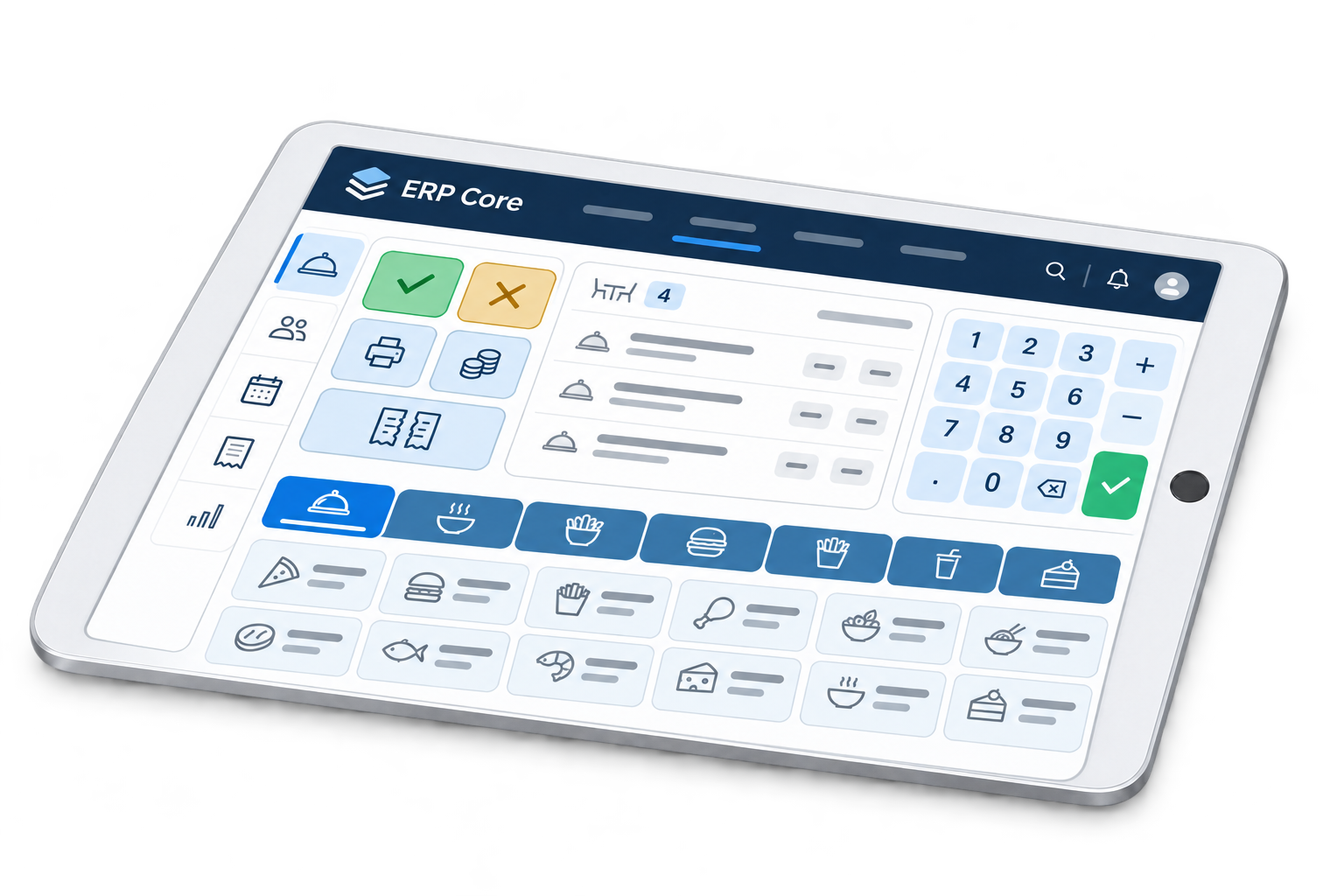
Looking for restaurant software that helps your team from ordering through to the kitchen? ERP Core connects products, tables and preparation in a POS workflow shaped around your venue.
 1. Take the order at the correct table
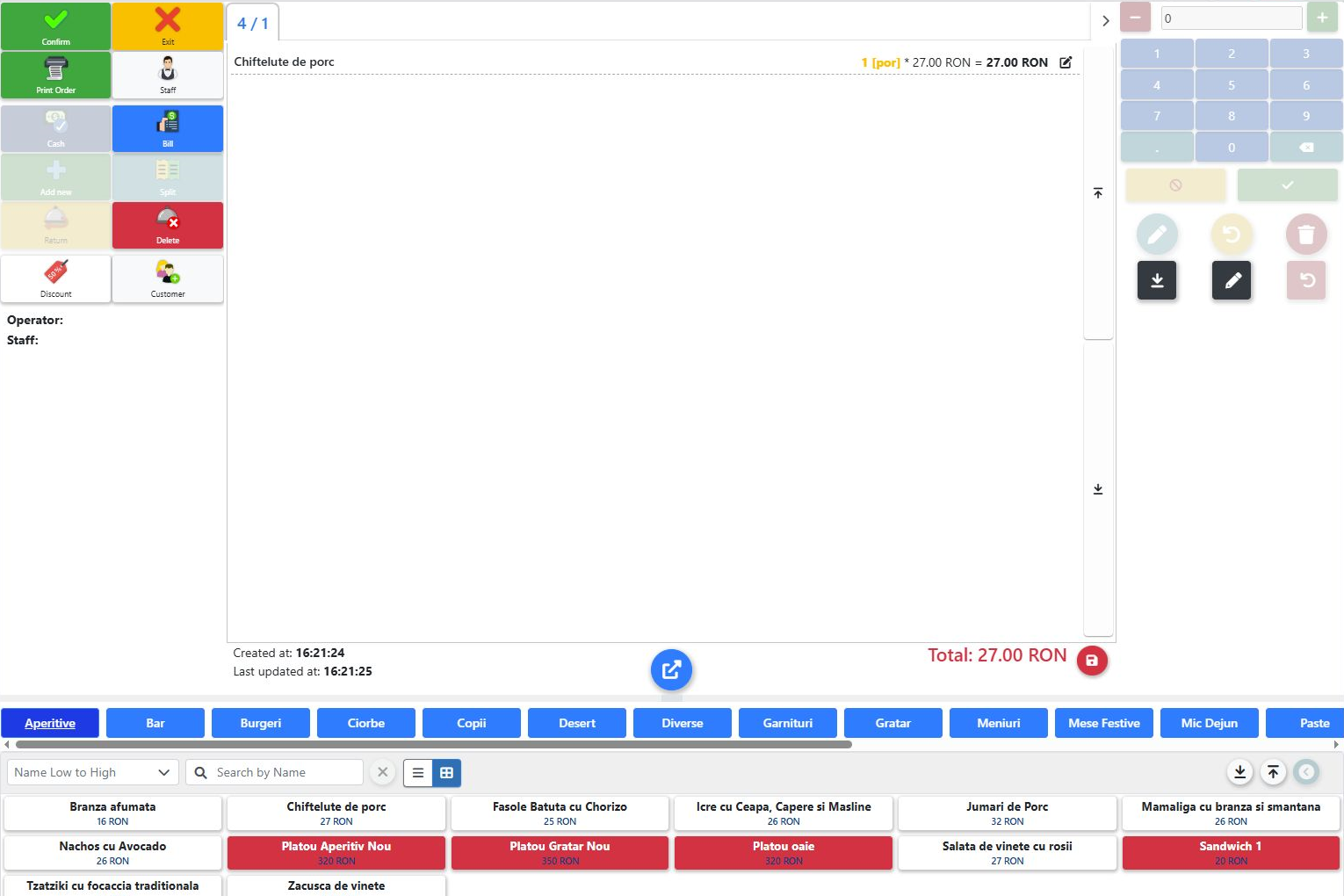
In this demonstration, table 4 has an order for one portion of meatballs. The operator selects the product from the catalogue, checks the number of portions and sees the line value. Categories help staff find dishes; search is useful when the menu contains many products.
2. Review items and notes before confirmation
Check the table, quantities and customer requests. If a dish requires a change, enter the note in the appropriate field for the configured workflow. Sensitive dietary instructions must be checked with responsible staff according to the restaurant’s procedures.
3. Follow preparation on Manufacturing Screen
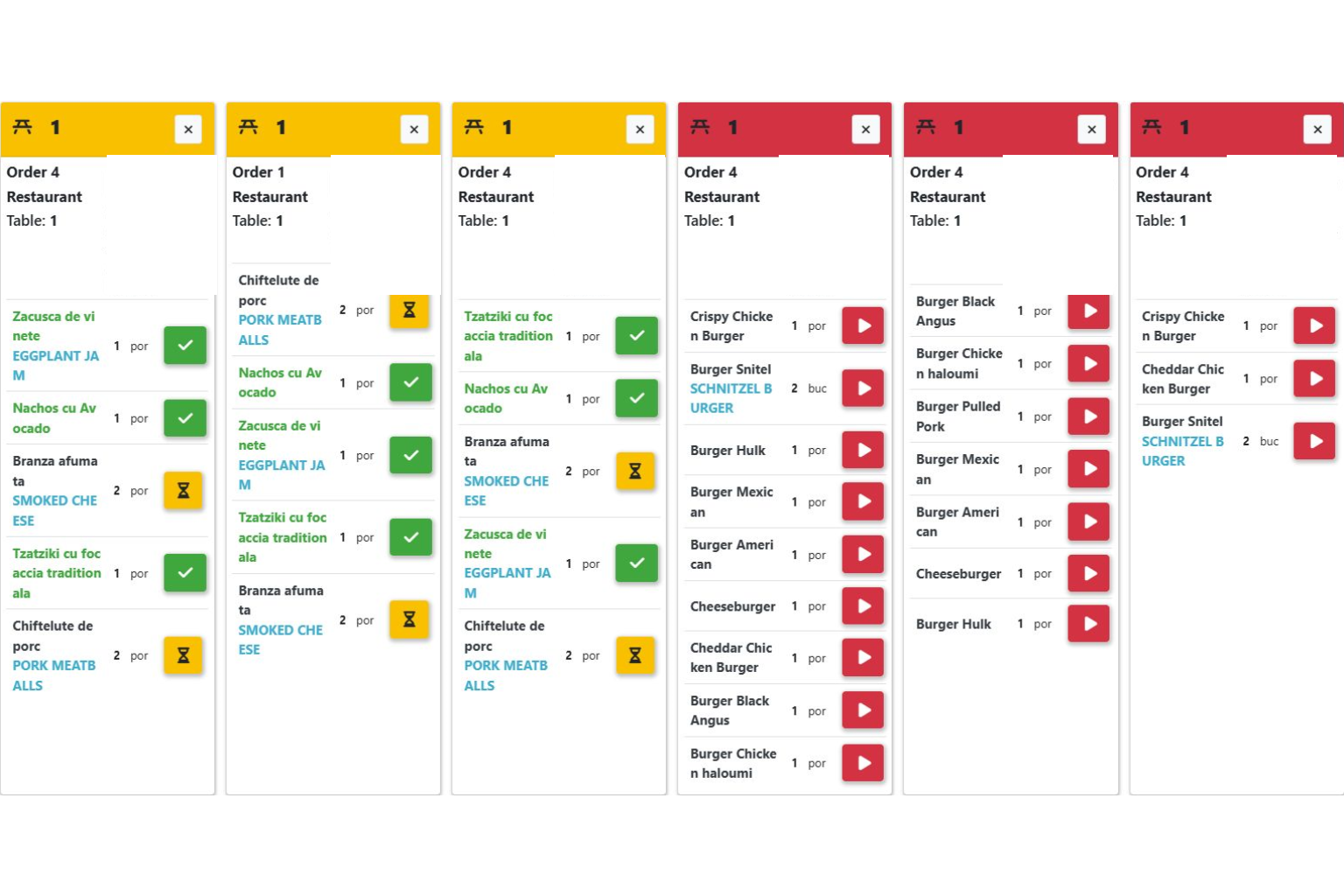
The kitchen screen groups dishes by orders and tables. The team can see portions and work statuses without looking up every order in the sales list. Start, in-progress and completion controls help staff follow preparation in the configured workflow.
4. Review the bill before payment
Review items, quantities and the total. Payment and finalisation depend on user permissions and configured equipment. During the demonstration, we check the complete workflow for your setup, including compatibility with required integrations.
More than a sales screen
A restaurant also needs reservations and events, ingredient receiving and inventory checks. Connections between recipes, sales and consumption are defined during implementation around your products and operating rules.
For restaurants, cafés and venues with several areas
A small team can start with one service area. A venue with a bar, terrace and kitchen needs clearly defined responsibilities and stations. Tables, users and required devices are starting points for the demonstration and quotation.
What does restaurant software cost?
The cost depends on modules, locations, devices, integrations and implementation services. For a relevant quotation, tell us how orders are taken today and where delays occur.